Bodyvault

On iPhone, Android, Apple Watch and Wear OS

Your private health coach

A Readiness score every morning, with the training, food and recovery to match. One app, and your data stays on your phone.

Free to download. Pro is optional: try it free for 7 days, then pay monthly or once for life.

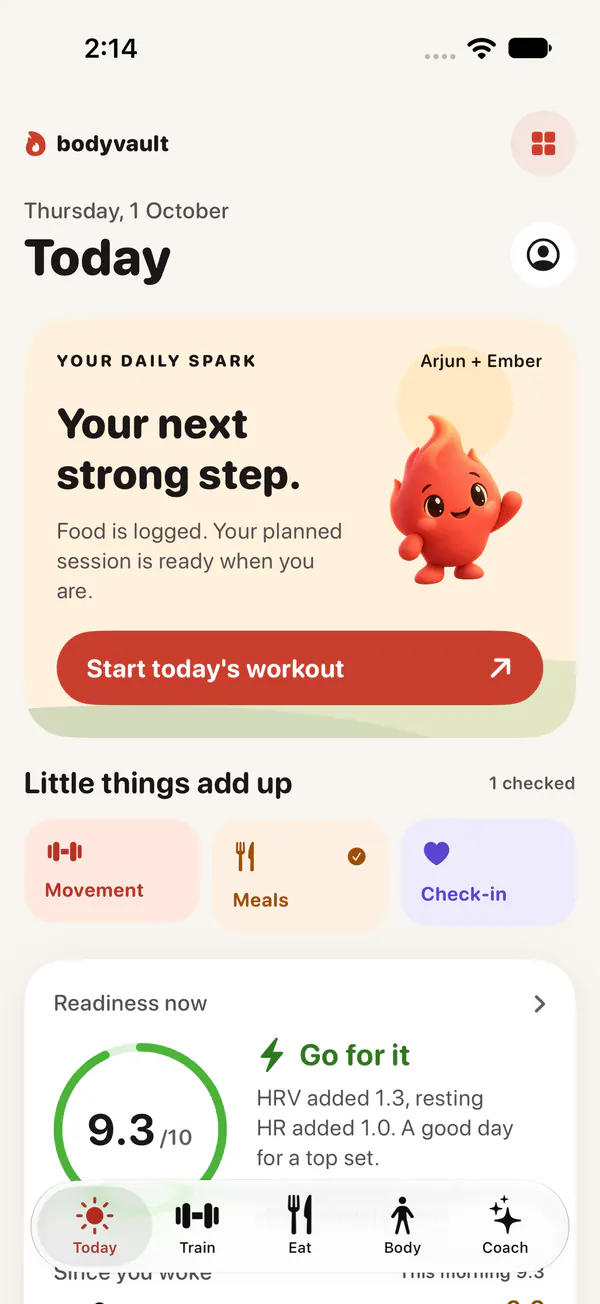
The Bodyvault Today screen on iPhone: Ember the flame beside “Your next strong step” and a red Start today’s workout button, and Readiness now 9.3 out of 10 on a green ring, “Go for it”.
The Bodyvault Today screen on Android: Ember’s “Look at you go.” card, Movement, Meals and Check-in, and Readiness now 8.6 out of 10 on a green ring, “Go for it”.
Bodyvault on Apple Watch: Readiness 7.9 out of 10 on a ring, “Go for it”, and a red Start Push A button.
  • No account Nothing to sign up for

  • Encrypted on your phone No copy on our servers

  • No ads Reports only if you say yes

  • Works with your devices Watches, rings, scales and straps

Readiness

Start each day with one clear answer

Readiness out of 10, from your HRV, resting heart rate, sleep and training against your own last 60 nights. Four more scores sit behind it, every one on the same ring.

  • Know how ready you are Pro

    Readiness out of 10 each morning, and what it means for today’s session.

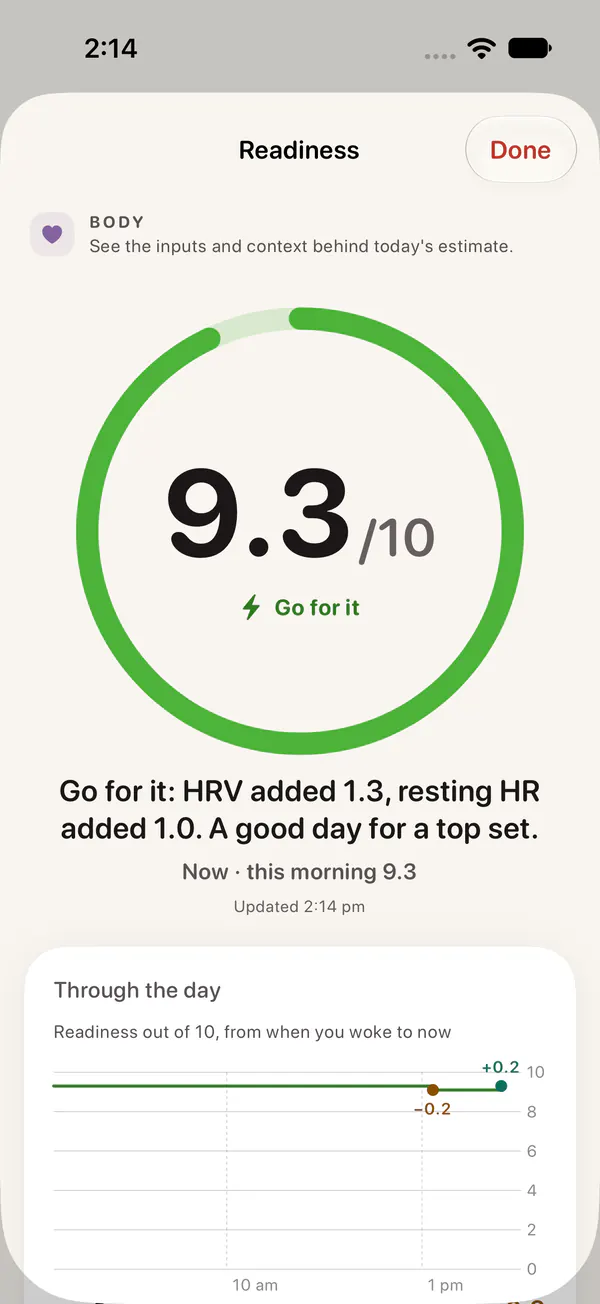
    The Readiness detail on iPhone: 9.3 out of 10 on a large green ring, “Go for it: HRV added 1.3, resting HR added 1.0. A good day for a top set.”
  • See every reason

    What added points and what took them, line by line, and the lines add up to the score.

    Readiness through the day on iPhone: This morning 9.3, Stress minus 0.2 for 1 h 19 m of high stress, Rest plus 0.2 for calm time, and Readiness now 9.3.
  • It moves with your day

    A hard session takes points. A nap, or a proper meal after training, wins some back.

    The Readiness detail on Android: 8.6 out of 10 on a large green ring, “Go for it: HRV added 1.1, resting HR added 0.6. A good day for a top set.”, and the Through the day chart.
  • 9.3 out of 10

    Readiness Pro

    How ready your body is to train, from HRV, resting heart rate, sleep and recent training. It moves through the day.

  • 9.4 out of 10

    Sleep

    Last night against your own sleep need, and how regular and restful it was.

  • 2.5 out of 10

    Load

    How hard you have trained today, from heart rate and your logged sets, against a target range.

  • 6.0 out of 10

    Fuel

    How well today’s food matches your plan: protein, calories, fibre and water.

  • 3.2 out of 10

    Stress

    Daytime stress from heart rate and HRV against your usual, with workouts left out.

Scores shown are from the app’s demo data. Readiness is part of Bodyvault Pro. How Readiness works

One app

Train, eat and recover in one app

Your plan, your food and your recovery share the same data, so each one knows about the others.

Train

Log sets as fast as you lift

The exercise in front of you, last time’s weight and reps beside every set, one tap to log it and a rest ring between sets. With Pro, your plan is built around your week and suggests the next weight from how the last session went.

  • Workouts from other apps arrive through Apple Health or Health Connect, and Bodyvault asks Was this Upper A? so your plan stays on track
  • 1,481 exercises, each with an illustration and instructions
  • Log on your wrist too, with Apple Watch or Wear OS
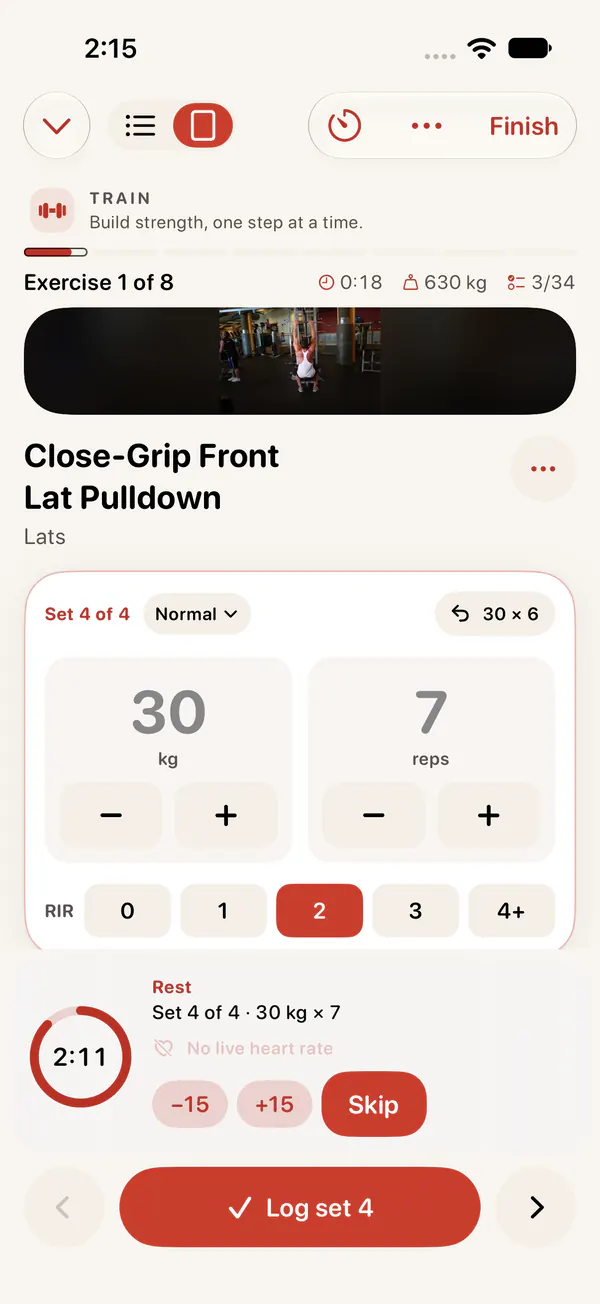
The workout screen on iPhone: Close-Grip Front Lat Pulldown, set 4 of 4 at 30 kg for 7 reps, a rest ring counting down 2:11 and a red Log set 4 button.
Logging a set on Android: Barbell Bench Press, warm-up 2 of 3 at 37.5 kg for 6 reps with steppers, a 1:00 rest ring and a Log warm-up button.

Eat

Indian food, counted properly

Over 85,000 foods, with Indian dishes from India’s national food tables in the portions you use: a roti, a katori, a piece. Scan a barcode or, with Pro, type your meal the way you’d say it or snap a photo.

  • Ordered in? Pick a screenshot of your Zomato or Swiggy order, and check the dishes before they’re logged
  • Calories, protein, carbs, fat, fibre and water against today’s targets
  • 159 recipes, plus your own foods and meals
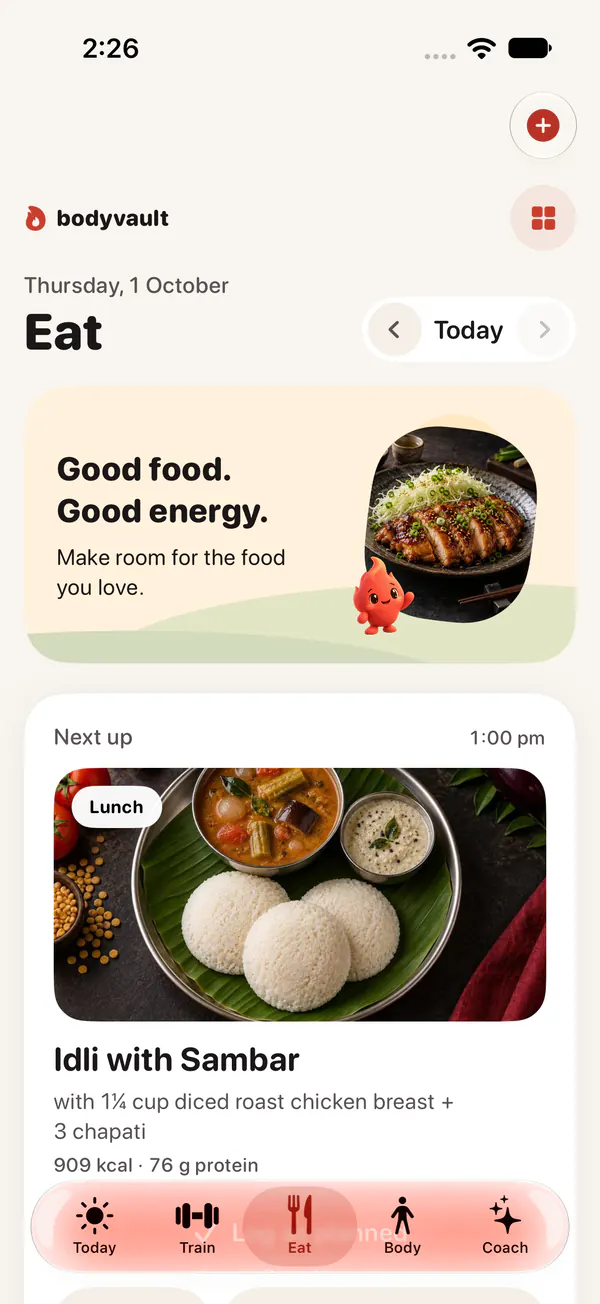
The Eat tab on iPhone: Ember beside “Good food. Good energy.”, then Next up at 1:00 pm, lunch: Idli with Sambar, 909 kcal and 76 g protein.
The Eat tab on Android: 1,824 kcal left of 2,633, protein, carbs and fat against their targets, Fuel 3.3 out of 10, and dishes that close the protein gap.

Meal plans

Meal plans solved to your numbers

North Indian, South Indian or mixed; veg, eggetarian, Jain or halal-friendly. Bodyvault builds real days of meals that hit your calories and protein, and you log each meal with one tap.

  • Vegetarian days of the week, and any meal can be changed
  • A grocery list for the week you planned
Meal plans on iPhone: a real day solved to 2,393 kcal and 144 g protein, with Idli with Sambar, Methi Thepla and Mutton Keema Matar.
Meal plans on Android: Pick a plan, with North Indian vegetarian, 4 meals, as the best match, a day of 1,832 kcal and 122 g protein, and a Start this plan button.

Ask Coach Pro

A coach that answers from your data

Ask about your training, food or recovery. On phones that support it, Coach runs on the phone itself: Apple Intelligence on iPhone, Gemini Nano on Android. Otherwise you get quick answers from your data, or you can bring your own AI key.

  • Ask what to eat and get real dishes you can log in one tap
  • Behind on protein? Eat suggests dishes that close the gap
  • Your conversations are never sent to Bodyvault

What should I eat for dinner?

Ask Coach’s answer: dish cards for Chicken Tikka (43 g protein), Mutton Keema Matar (52 g) and Kerala Coconut Fish Curry (50 g), each with a round photo and a Log button.

Also inside

Everything else, in the same place

Sleep, stress, labs, supplements and your cycle sit beside your training and food, so each part knows about the others.

  • Exercise library

    1,481 exercises with illustrations. Search by muscle, equipment or name, swap mid-workout, or add your own.

  • Weekly and monthly reports Pro

    Averages for every score, what added to them and what took from them, and your records.

  • Your data shows

    Patterns from your own journal and check-ins, such as how alcohol changes your next day’s Readiness, with the numbers behind them.

  • Labs and supplements

    Lab results and supplement and medication reminders, with lab trends and interaction flags in Pro.

  • Cycle-aware training

    Log your cycle if you choose to. With Pro, your training and Readiness take it into account.

  • Ember

    A small flame who keeps you company: it breathes, blinks, waves hello and celebrates when you log a meal. It stays still with Reduce Motion on.

See every feature

On your wrist

Apple Watch and Wear OS

Raise your wrist to see your Readiness and the one thing to do next. Log sets with the crown, and rest with a ring that shows when your heart rate has recovered. The watch is optional: everything works on your phone alone.

Apple Watch home: Readiness 7.9 out of 10, “Go for it”, “A good day for a top set”, and a red Start Push A button.

Apple Watch with iPhone

  • Set logging on Apple Watch: Barbell Bench Press, set 1 of 4, 50 kg and 8 reps in large tiles, and a red Done button.

    Log sets

  • Rest on Apple Watch: a ring counting down 2:25, the next set, Barbell Bench Press 80 kg for 6, and a red Skip button.

    Rest ring

  • Readiness detail on Apple Watch, “Why 7.9”: HRV plus 0.7 at 53 ms against a usual 47, and sleep plus 0.4.

    The why

Wear OS home: Readiness 7.9 out of 10 on a green ring, “Go for it”, and a red Start Push A button.

Wear OS with Android

  • Set logging on Wear OS: Barbell Bench Press, set 2 of 4, 80 kg and 6 reps, last time 77.5 kg for 8, and a red Done button.

    Log sets

  • Rest on Wear OS: a 1:54 rest ring, heart rate down from 132 to 110, next 80 kg for 6, and a red Skip button.

    Rest ring

  • Readiness on Wear OS: 7.9 out of 10 on a large green ring, “Go for it”, with high confidence.

    Readiness

On your watch face, too

Complications for Readiness, Load, calories, protein, water, steps and your rest timer, all on the same ring. Wear OS adds tiles. The Bodyvault complication is the Keeper, the figure from our logo, in today’s Readiness pose.

  • Complication: Ready, Readiness 7.4 out of 10, Sleep 8.1, Load 3.2 against a 5.5 target.
  • Complication: the Keeper figure with Bodyvault, Ready 7.4 out of 10, today Push A.
  • Complication: 1,240 kilocalories left of 2,400.
  • Complication: Load 3.2 out of 10, target 5.5 to 6.8, 2.3 to go.

Devices

Works with your devices

The Connect a device hub in the app links the watches, rings, scales and sensors you already own, on iPhone and Android.

  1. Apple Health or Health Connect

    If your device’s app writes to Apple Health on iPhone or Health Connect on Android, Bodyvault reads your workouts, sleep, heart rate, weight and more from there.

  2. Bluetooth, directly

    Standard heart-rate straps, some smart scales, and treadmills and bikes that speak Bluetooth FTMS connect to Bodyvault without another app.

  3. A file from the device’s app

    Where a device’s app can export your history as a file, import it into Bodyvault.

Watches and bands

  • Apple Watch
  • Pixel Watch and Wear OS
  • Samsung Galaxy Watch
  • Garmin
  • Fitbit
  • WHOOP
  • Polar
  • COROS
  • Suunto
  • Amazfit (Zepp)
  • Xiaomi
  • Huawei
  • Noise
  • boAt
  • Fire-Boltt

Smart rings

  • Oura
  • Ultrahuman

Smart scales

  • Withings
  • Renpho
  • Eufy
  • Xiaomi

Heart-rate straps

  • Polar H10
  • Wahoo TICKR
  • Other standard Bluetooth heart-rate straps

Gym machines

  • Treadmills with Bluetooth FTMS
  • Exercise bikes with Bluetooth FTMS

Blood pressure monitors

  • Omron
  • Withings

Glucose sensors

  • Dexcom
  • FreeStyle Libre

What each device shares, and how, depends on the device and its own app; the Connect a device hub shows how to connect yours. Glucose data powers Meal Impact, part of Pro. Brand names are trademarks of their owners, and Bodyvault isn’t affiliated with or endorsed by them.

Privacy

Your data stays on your phone

No account and no ads. Crash, speed and usage reports stay off unless you turn them on, and never include your health data. Health data from Apple Health or Health Connect is never used for advertising and never sold.

  • Encrypted on your phone

    Workouts, food, health data and check-ins live in an encrypted database on your phone, and nowhere else unless you send them somewhere.

  • No account, no copy on our servers

    You never sign up, and Bodyvault keeps none of your data on its servers. There is nothing of yours for us to read, lose or sell.

  • Back up to your own Google Drive

    Optional, on iPhone and Android. Your phone encrypts the backup with your passphrase, then sends it straight to your Google Drive. Our servers are never involved.

  • Export any time

    Save an encrypted .bodyvault backup file, or CSV files that open in any spreadsheet.

  • Move to a new phone

    Restore a backup on a new phone, iPhone or Android, and carry on where you left off.

  • AI on your terms

    On-device AI runs on the phone. Use your own AI key instead and the request goes straight from your phone to that provider.

  • Reports only if you agree

    Anonymous crash, speed and usage reports go to Google Firebase only if you say yes, and never include your workouts, food, health or cycle data.

Read the privacy policy.

Pricing

Start free. Try Pro free for 7 days.

Bodyvault is free to download and use. Bodyvault Pro unlocks the deeper planning and insights, as a monthly subscription or a one-time lifetime purchase. New subscribers to Pro Monthly get the first 7 days free.

You buy Pro inside the app, through the App Store or Google Play. There’s no checkout on this website.

  • Free

    Nothing to pay

    Log workouts and food, follow meal plans, track your body and cycle, and keep everything private on your phone.

    • Workout logging and 1,481 exercises
    • Food diary, barcode scanning and meal plans
    • Body, cycle and health charts
    • Encrypted backup and export
    Download free
  • Pro Monthly 7-day free trial

    ₹199/month

    Everything in Pro, free for the first 7 days, then billed every month. Cancel before the trial ends and you pay nothing. It renews automatically until you cancel, which you can do any time in your App Store or Google Play subscriptions.

    • Readiness, the weekly review and Ask Coach
    • Training plans with progression and deloads
    • Full micronutrients and adaptive calories
    • AI meal logging by text or photo
    • Meal Impact, lab trends, unlimited labs and supplements
    Start the free trial in the app
  • Pro Lifetime No subscription

    ₹1,999

    Everything in Pro for one payment. It never renews, so there is nothing to cancel.

    • Everything in Pro Monthly
    • One payment, nothing renews
    • Restore it on a new phone with the same store account
    Buy Lifetime in the app

Prices vary by country. The App Store or Google Play shows the price in your currency before you pay.

Compare Free and Pro, feature by feature
What’s free, and what Pro adds
FeatureFreePro
Workout logging on your phone and watch, the exercise library, history and recordsIncludedIncluded
Food diary: search, barcode, recipes, calories and macrosIncludedIncluded
Meal plansIncludedIncluded
Weight, body measurements and basic health chartsIncludedIncluded
Cycle loggingIncludedIncluded
Encrypted on your phone, export, and backup to your own Google DriveIncludedIncluded
Supplements and medicationsUp to 5Unlimited, with interaction and lab flags
Lab reportsUp to 2Unlimited, with trends
Readiness score, out of 10, through the dayNot includedIncluded
Weekly reviewNot includedIncluded
Training plans built for your week, with progression and deloadsNot includedIncluded
Adaptive TDEE: calorie targets that learn from your weight trendNot includedIncluded
Full micronutrientsNot includedIncluded
AI meal logging, by text or photoNot includedIncluded
Meal Impact: how your glucose responds to meals, from a glucose sensorNot includedIncluded
Cycle-aware insights for training and foodNot includedIncluded
Ask Coach and deeper coach insightsNot includedIncluded
  • You buy Pro in the app: through the App Store on iPhone, or Google Play on Android. A purchase stays with that store, so restore it on a new phone with the same Apple Account or Google account. It doesn’t move between the App Store and Google Play.
  • Family sharing works as the App Store or Google Play allows for each purchase. Refunds are handled by Apple or Google.
  • Read the terms of use, including the subscription terms.

Questions

What do I need?

An iPhone with iOS 26 or later, or an Android phone (Google Play shows whether yours is supported). An Apple Watch (watchOS 26 or later) or a Wear OS watch is optional. On-device AI is optional too: Ask Coach uses Apple Intelligence or Gemini Nano on phones that support them, and everything else works without it.

Is Bodyvault on Android?

Yes. Get it on Google Play. The Android app has the same features as the iPhone app. The Apple Watch app works with iPhone, and the Wear OS app (Pixel Watch, Galaxy Watch and other Wear OS watches) with Android. Other watches and bands connect through Health Connect.

Which devices work with Bodyvault?

Watches, bands, rings, scales, heart-rate straps, gym machines, blood-pressure monitors and glucose sensors, from brands such as Apple, Garmin, Fitbit, Samsung, WHOOP, Oura, Polar, Withings, Omron, Dexcom and FreeStyle Libre. They connect through Apple Health on iPhone or Health Connect on Android, directly over Bluetooth, or by importing a file. What a device shares depends on the device and its app. See Works with your devices.

What’s free, and what does Pro add?

Workout and food logging, meal plans, body measurements, cycle logging, and export and backup are free. Pro adds the Readiness score, the weekly review, training plans, adaptive calorie targets, full micronutrients, AI meal logging, Meal Impact, cycle-aware insights, lab trends, unlimited lab reports and supplements, and Ask Coach. See the comparison.

Is there a free trial?

Yes. New subscribers to Pro Monthly get 7 days free, once per Apple Account or Google account. Start the trial on the Pro screen in the app. To pay nothing, cancel before it ends: on iPhone at least 24 hours before, on Android any time before. Otherwise the subscription starts when the trial ends and renews every month. Pro Lifetime is a single payment, so it has no trial.

How do I cancel a subscription?

Pro Monthly renews automatically until you cancel. Cancel at least 24 hours before it renews to avoid the next charge. On iPhone, open Settings, tap your name, then Subscriptions. On Android, open Google Play, tap your profile, then Payments & subscriptions, then Subscriptions. Pro stays on until the end of the period you paid for. Deleting the app doesn’t cancel a subscription. Pro Lifetime is a single purchase, so there is nothing to cancel.

Where is my data stored?

On your phone, in an encrypted database. There is no account, and Bodyvault keeps no copy of your data on its servers. Your data only goes somewhere else when you send it: an export, a backup to your own Google Drive, or a question to an AI provider you added with your own key. If you agree, the app also sends anonymous crash, speed and usage reports to Google Firebase; they never include your health data, and you can turn them off in Settings.

How do backups work?

In the app you can export an encrypted .bodyvault backup file, or CSV files to open in a spreadsheet. You can also back up to your own Google Drive: your phone encrypts the backup with your passphrase first, then uploads it straight to your Drive. Bodyvault’s servers are never involved, so we can’t read your backup, and we can’t recover it if you forget the passphrase.

Can I switch phones, or move between iPhone and Android?

Yes. Make a backup on your old phone, as a .bodyvault file or to Google Drive, install Bodyvault on the new phone and restore it. This works between iPhone and Android. Pro comes with you within the same store: restore your purchase on the new phone with the same Apple Account or Google account. Purchases don’t move between the App Store and Google Play.

Is Bodyvault a medical app?

No. Bodyvault is a wellness app for training, nutrition and recovery. It does not diagnose or treat anything. For medical questions, talk to a doctor.

Ready when you are

Free on the App Store and Google Play. No account and no card to start, and Pro is free for the first 7 days.

  • An iPhone with iOS 26 or later, or an Android phone
  • An Apple Watch or a Wear OS watch if you like, or another watch, ring or scale
  • No Bodyvault account

Questions? See Support or email lapaasindia@gmail.com.