
Train
A gym workout tracker that plans the next weight
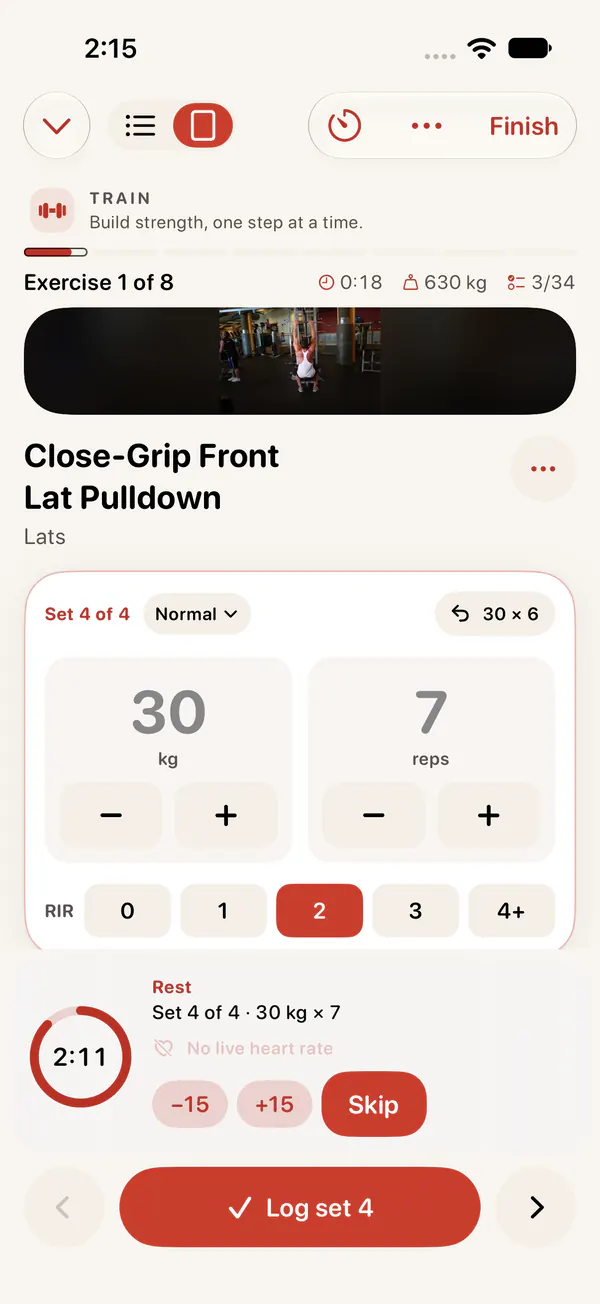
Log sets as fast as you lift, on your phone or your wrist. With Pro, Bodyvault builds your plan, suggests the next weight and lets your Readiness decide how hard today should be.
A plan built for your week
With Bodyvault Pro, tell Bodyvault how many days you can train, how long a session can be, your experience and your equipment, and it builds a block of weeks:
- A split for your days: full body, upper/lower, push/pull/legs, or upper/lower with push/pull/legs.
- Exercises that fit: chosen for your equipment, your level and any injuries, compound lifts first.
- Volume that builds: about one more set per muscle each week, and a deload week at the end with fewer sets and more reps in reserve.
Progressive overload, done for you
Each set shows what you lifted last time. Log your reps and how many you had left in reserve, and the plan suggests the next weight from how the last session went. Records track your heaviest weight, best estimated one-rep max, most reps and most volume for every exercise.
On your wrist
On Apple Watch, set the weight and reps with the Digital Crown and tap Done, or use Double Tap. A rest ring counts down between sets and shows when your heart rate has recovered.
Readiness decides how hard
On a “Pace yourself” morning, Bodyvault suggests stopping a rep or two earlier and skipping the extra sets. On “Go for it”, it’s a day for a top set. Your training then feeds back into your Load score and tomorrow’s Readiness.
Everything else
- 1,481 exercises, each with an illustration and instructions. Swap mid-workout or add your own.
- Routines you can save from any workout and start again.
- Workouts from other apps that save to Apple Health (JEFIT included) or Health Connect appear in Train, and Bodyvault asks which plan day they were.
- Left a workout running? It asks “Still working out?” and can end it at your last set.
A progressive overload log you can review
Compare load, reps and effort together. More repetitions at a familiar weight can be progress; a new weight does not need to appear every session. Keep equipment and execution consistent before judging a change.
| Record | Why it helps |
|---|---|
| Weight and units | Compare kg with kg or lb with lb |
| Reps in each set | See whether performance improved at a fixed load |
| Reps in reserve | Compare effort rather than chasing failure |
| Technique or symptoms | A heavier lift is not useful if execution or comfort worsens |
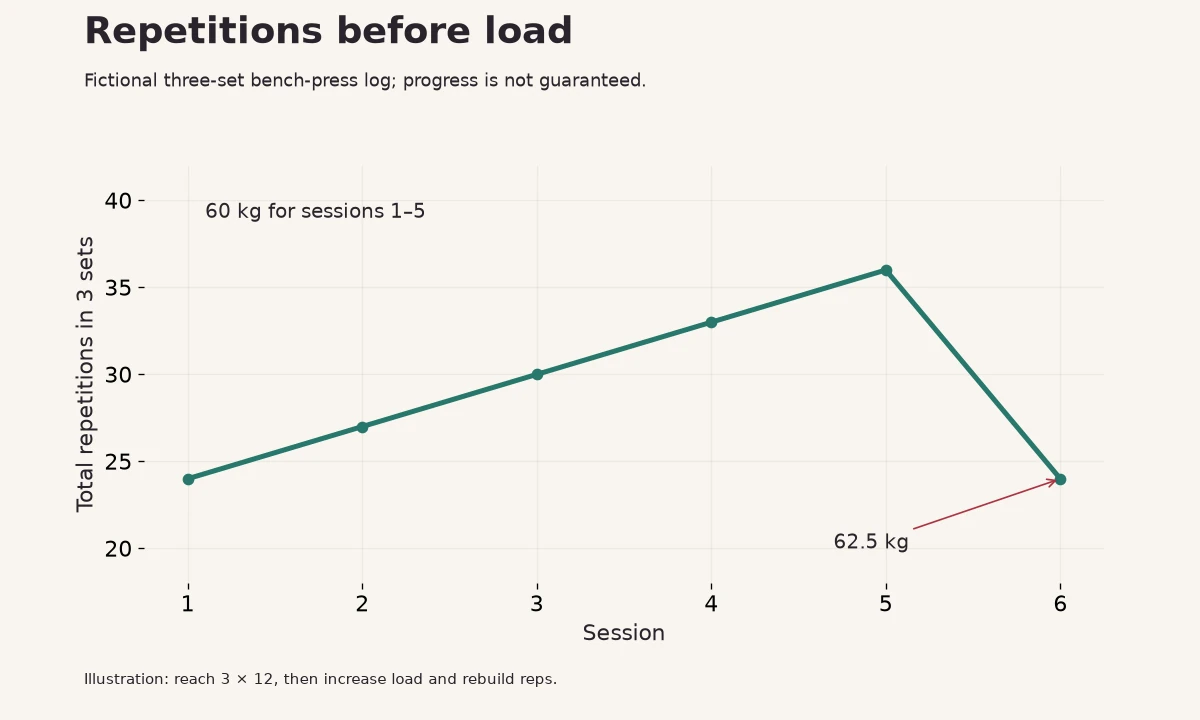
Read progressive overload with a bench-press example and how an easier week works. Bodyvault suggestions support a training decision; they are not medical clearance.
Questions
Does it work without Apple Watch?
Yes. Every part of workout logging works on your phone alone, on iPhone or Android. Apple Watch adds logging from your wrist, heart rate and the rest ring.
Can I import my JEFIT or other workouts?
Turn on Apple Health sync in the other app on iPhone, or Health Connect on Android, and its workouts appear in Bodyvault’s Train tab.
What is a deload week?
A planned lighter week, with fewer sets and easier efforts, that lets your body absorb the previous weeks of training. Bodyvault puts one at the end of each block.
Sources
- Schoenfeld BJ, Ogborn D, Krieger JW (2017). Dose-response relationship between weekly resistance training volume and increases in muscle mass. Journal of Sports Sciences 35(11).
- Helms ER et al. (2016). Application of the repetitions in reserve-based rating of perceived exertion scale for resistance training. Strength and Conditioning Journal 38(4).